
 HostCrafter MCP ServerFree WordPress plugin · by HostCrafter
Your content, managed from any AI app
HostCrafter MCP Server lets Claude, ChatGPT, Cursor and any AI app write and manage your posts, pages, media, menus and shop — with an editor's rights, never an administrator's, risky changes waiting for you, and a log of every action on your own site.
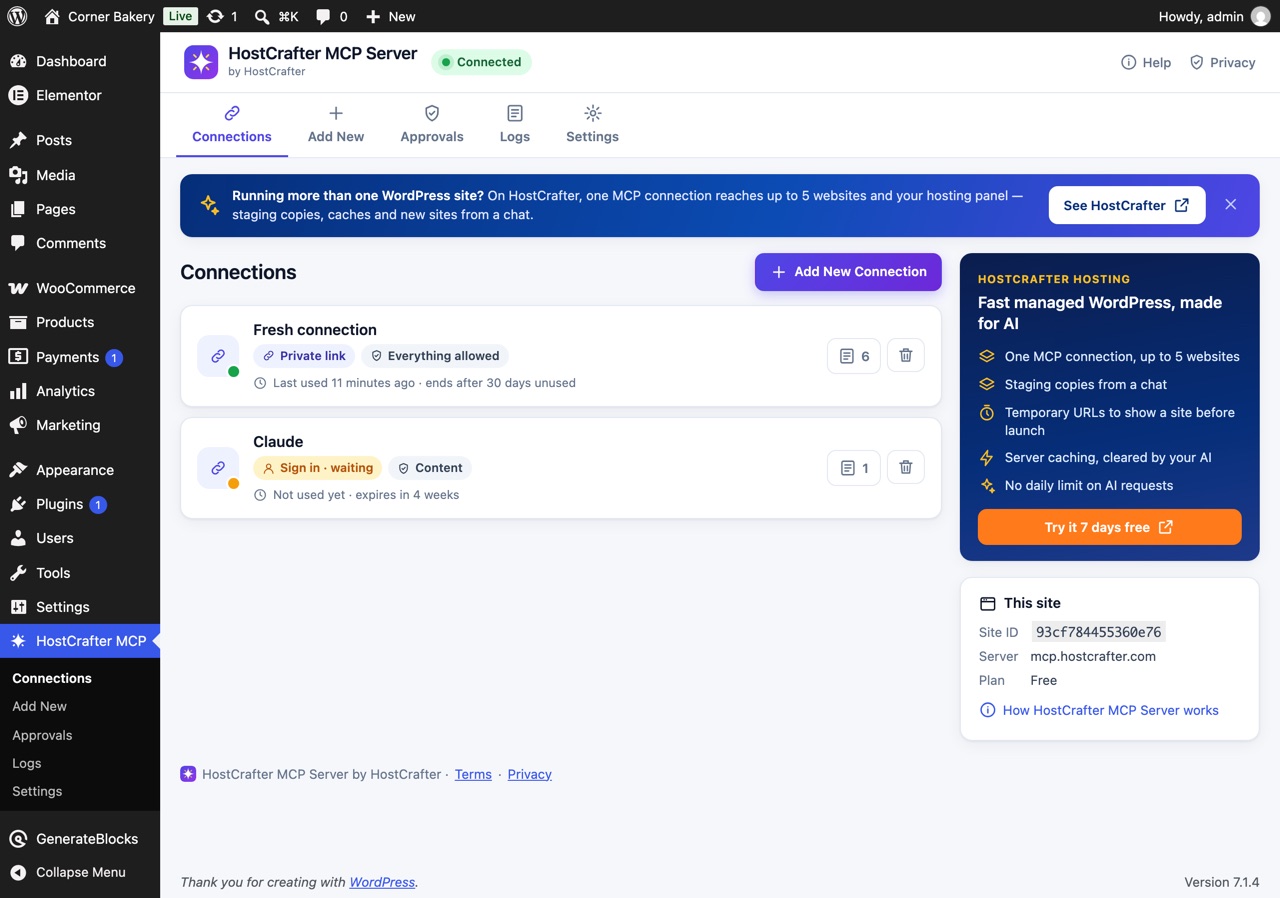
From install to your first chat in two minutes
- 1
Install the plugin
Download the zip, then Plugins → Add New → Upload Plugin, and activate HostCrafter MCP Server.
- 2
Connect this site
One click. The MCP server checks that your WordPress really answers at its address, then turns on your MCP server.
- 3
Add a connection
Name it, choose what AI may do, how it authenticates and how long it lasts.
- 4
Paste it into your AI app
The plugin shows the steps for Claude, ChatGPT, Claude Code, Cursor, VS Code and Gemini CLI — and a test prompt that turns green on the first call.
Everything your content needs. Nothing an editor could not do.
An editor's rights, never more
While an AI app's request runs, WordPress itself refuses anything an editor may not do: no plugins or themes installed or switched, no users changed, no code, no security settings — whoever connected it.
Permissions you choose
Read only, content, everything allowed, or 22 permissions one by one — per connection.
Risky changes wait for you
A site-wide find and replace, or a plugin ability marked destructive, waits on the Approvals screen until an administrator approves it. Then it runs once.
Other plugins' own AI tools
WooCommerce's products and orders, Elementor's page building and every plugin that offers abilities through the WordPress Abilities API — found on your site and used with an editor's rights.
Images from the chat
Drop up to 20 images into the chat; your AI adds them to the media library with titles and alt text. Uploads are deleted within 5 minutes.
Authenticate your way
A private link that works in every app, a sign-in you allow once in wp-admin (OAuth 2.1), or a token header.
No code from AI
No tool writes PHP, JavaScript, CSS or SQL; scripts are removed from anything an AI saves; page builders' HTML widgets and custom code are never written.
Secrets stay on your site
Passwords, keys, tokens, email addresses and phone numbers read as [removed] in every answer, from custom fields, options, REST answers and plugin abilities alike.
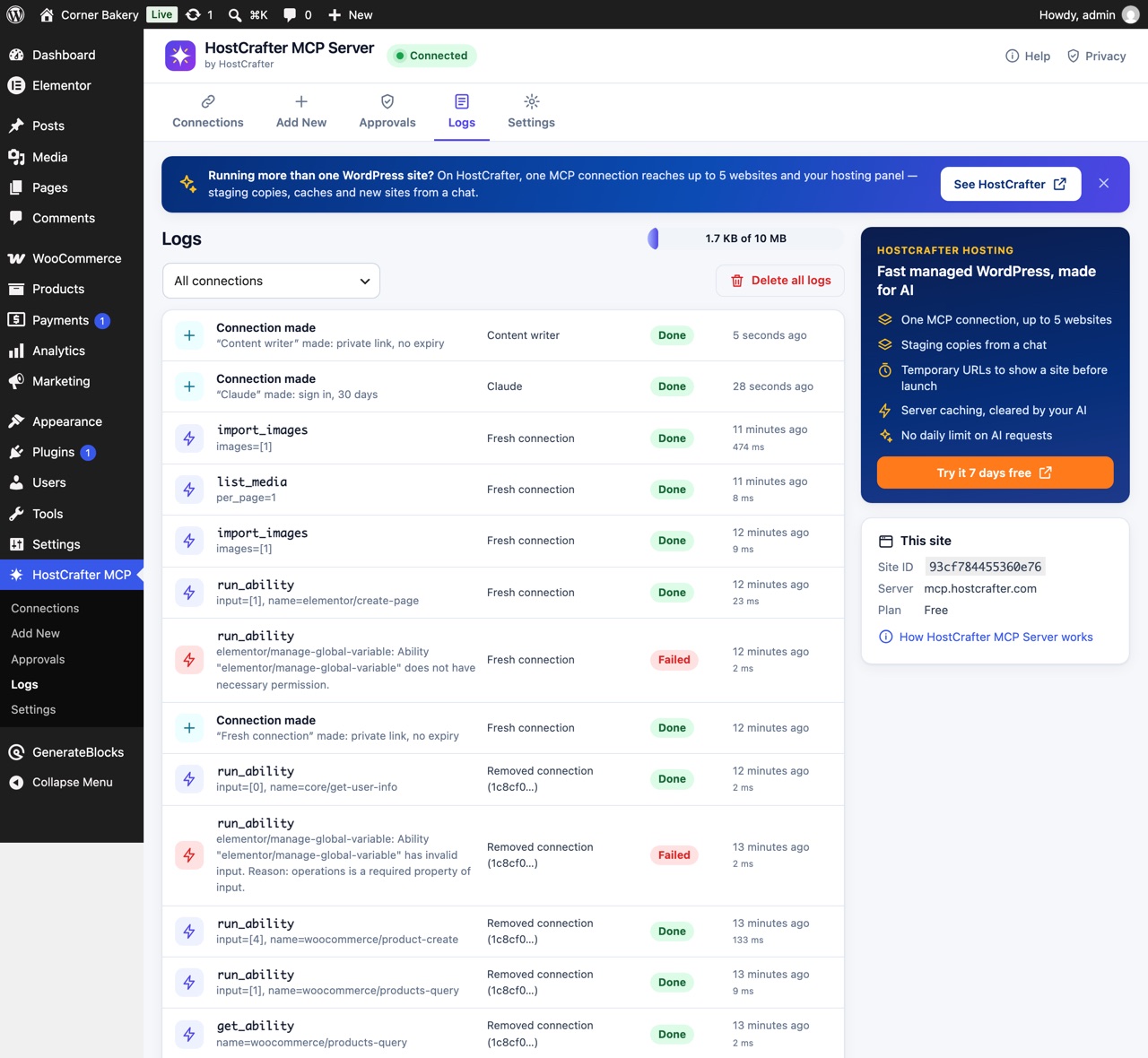
A log on your own site
Every tool call, sign-in, approval and connection change — what, whether it worked, how long it took. Kept in your WordPress.
Made to feel at home in wp-admin
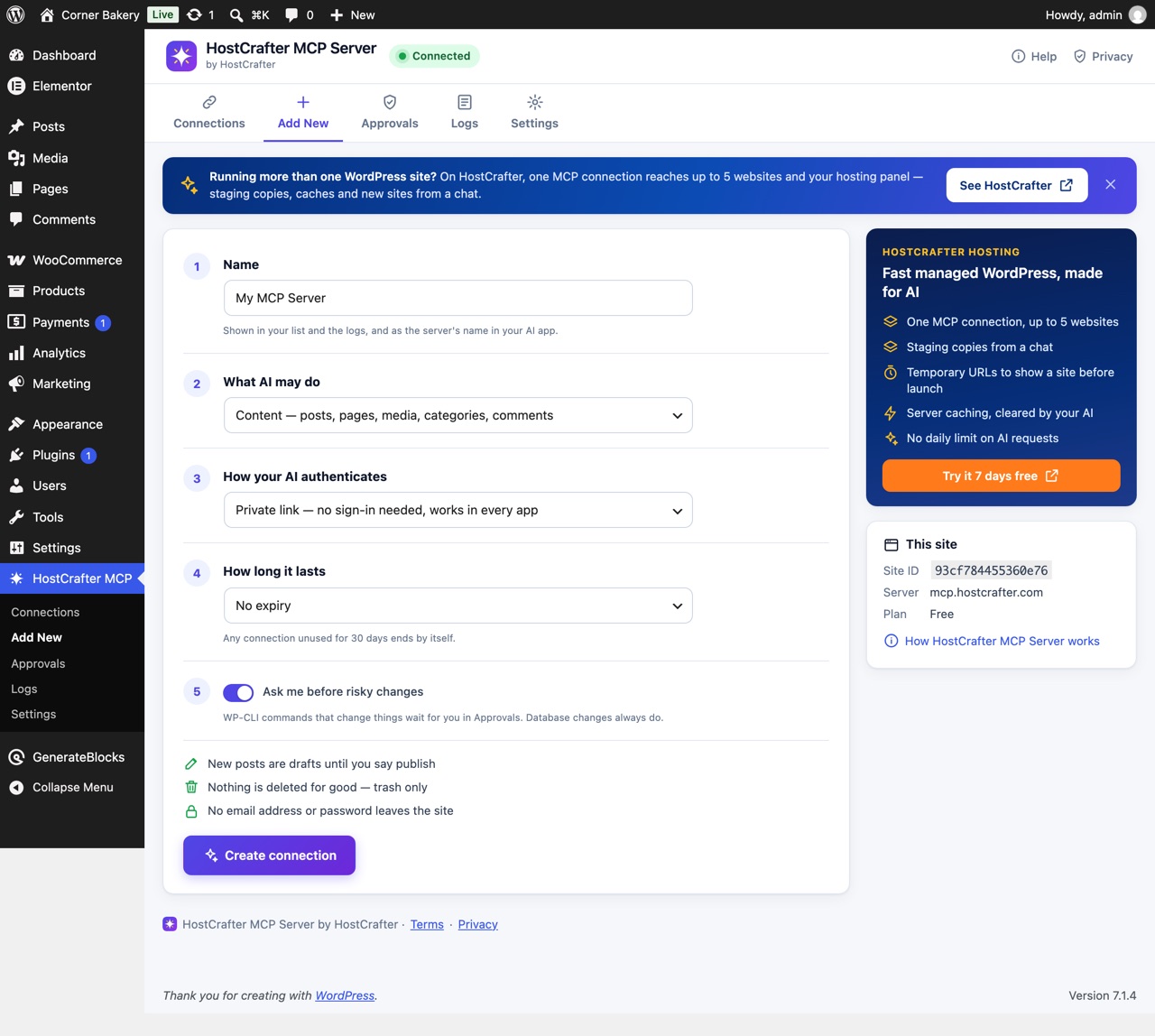
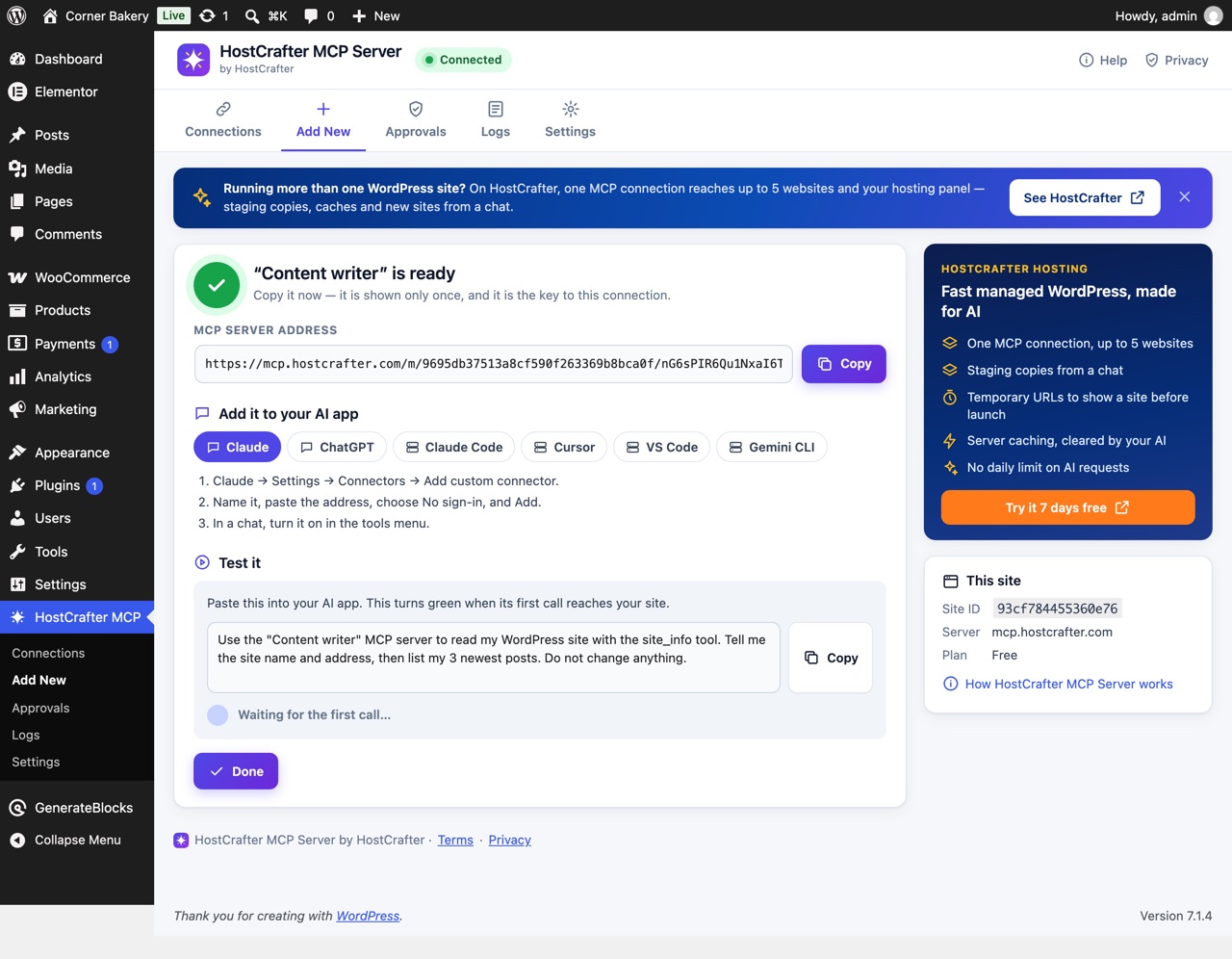
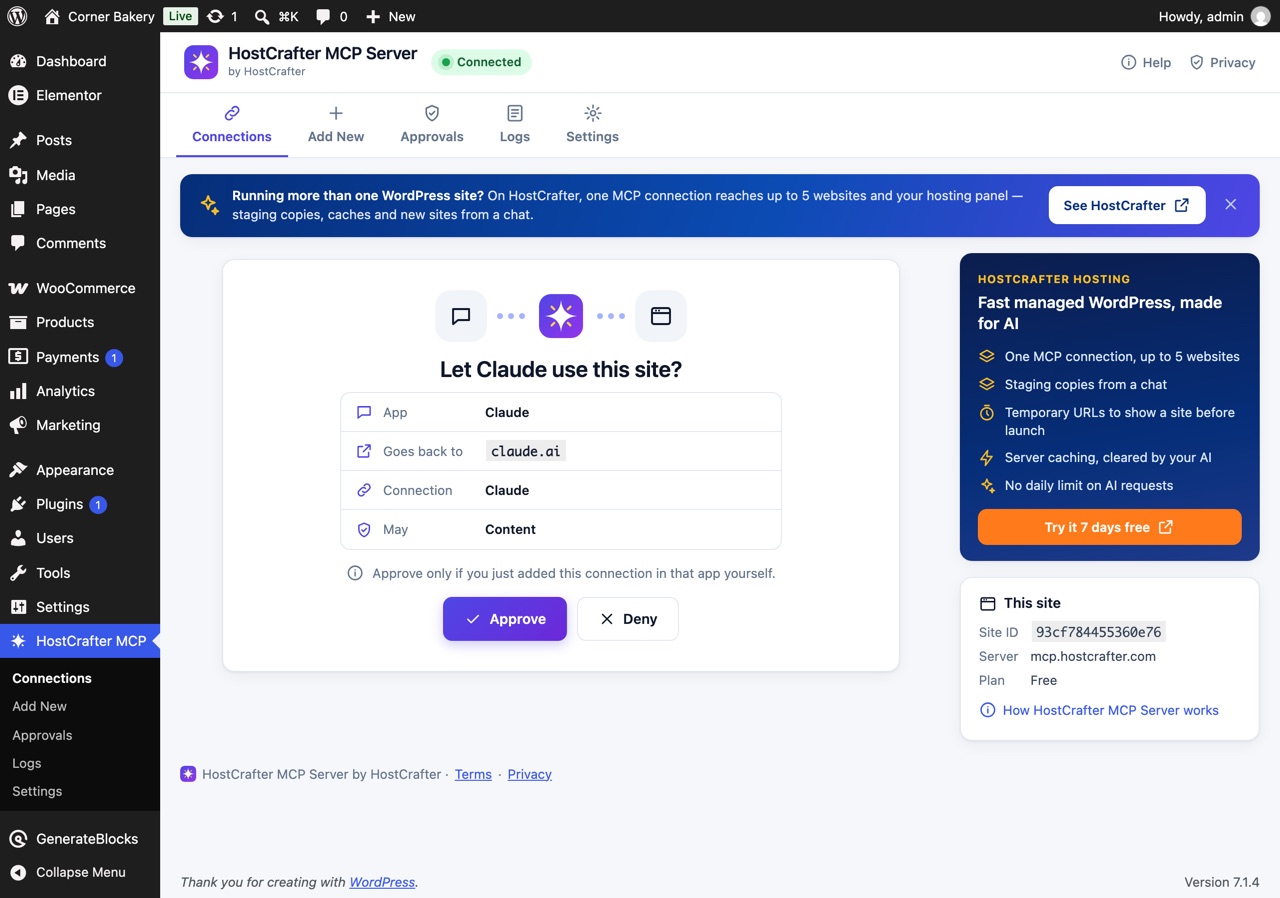
What your AI can do — if you allow it
Content
- Posts, pages and custom post types
- Duplicate, revisions and restore
- Preview links
- Find and replace: a dry run first, the real run after your approval
Page builders
- Elementor: widgets, page layouts, page settings
- Elementor's own MCP abilities, when switched on
- GenerateBlocks 2: pages as a tree, CSS compiled
- A revision kept on every save
SEO and fields
- Yoast SEO, Rank Math, SEOPress titles and descriptions
- Custom fields and ACF values (secrets never)
- A page's HTML
Media and terms
- Images uploaded in the chat, up to 20 at a time
- Images from a web address
- Titles, alt text and captions
- Categories, tags and taxonomies
WooCommerce
- WooCommerce's own abilities: products and orders
- Prices, stock and descriptions
- Order statuses and notes, no customer contact details
Site
- Title, tagline, timezone, date format, home page
- Menus and comments
- Clearing caches
Read-only views
- Installed plugins, themes and updates waiting
- Site health, scheduled tasks, error log
- Any REST route, secrets removed
Other plugins
- Every ability a plugin offers AI agents
- Each run with an editor's rights
- Destructive ones wait for your approval
Free. That is the plan.
Free
$0 no card, no account
- 500 tool calls in 24 hours per site
- 60 tool calls a minute
- 5 connections per site
- Every tool and permission
- Approvals for risky changes
- Private link, sign-in (OAuth 2.1) or token
- Activity log on your own site
The plugin is free to download and use. The MCP service it connects to is run by HostCrafter and free to use within these limits.
Your site checks every request itself
Signed and encrypted
Each request reaches your site signed with the server's key, encrypted, under five minutes old and used once.
Bound to your site
Every connection carries a code made from its 384-bit secret and your site's id. The server keeps only a one-way hash, so even a copy of its database cannot call your site.
An editor's rights
Every request runs with an editor's capabilities, enforced by WordPress's own permission checks — for this plugin's tools and for other plugins' abilities alike.
Fair limits
One tool call at a time per site, 60 a minute, 500 in 24 hours — counted by your site's address, so removing and adding the site does not reset them.
Frequently asked questions
Can an AI install plugins or change users?
No. AI apps work with an editor's rights: installing, switching or updating plugins and themes, managing users, editing code and changing security settings are refused by WordPress itself while their requests run — by this plugin's tools and by any other plugin's abilities.
Does it work with WooCommerce and Elementor?
Yes. On WooCommerce 10.9 and later your AI uses WooCommerce's own abilities for products and orders; on older versions, built-in tools. For Elementor it reads and builds classic layouts through Elementor's own save, and uses Elementor's own MCP abilities when you switch them on in Elementor → MCP. GenerateBlocks 2 pages are built with each block's CSS compiled the way its editor does.
How do I add an image from my computer?
Ask your AI to add one. In Claude and ChatGPT an upload panel opens in the chat; in other apps your AI gives you a link to an upload page. Drop up to 20 images (10 MB each) and your AI adds them with titles and alt text. Uploads are deleted from our server within 5 minutes.
Is it really free?
Yes. The plugin is free to download and use, and the MCP service it connects to is free to use: 500 tool calls in 24 hours per site, 60 a minute, five connections. No account and no card.
Is it open source?
The plugin is licensed GPL-2.0-or-later, the licence every WordPress.org plugin uses, so you may read and change its code. The MCP service at mcp.hostcrafter.com is HostCrafter's own software: not open source, and free to use under its terms.
Which AI apps can connect?
Any app that speaks MCP over HTTP: Claude (web, desktop and Claude Code), ChatGPT, Cursor, VS Code, Gemini CLI, Windsurf and more. The plugin shows the steps for each.
What does the MCP server store?
Your site's address, the server address it registered from, each connection's name, permissions and dates, and a count of calls for the free allowance — never what a connection did. The privacy page lists every item.
Can I see what an AI app did?
Yes: HostCrafter MCP → Logs on your site, per connection, sign-ins and connection changes included. Up to 10 MB is kept; the oldest entries go first.
What happens if I deactivate the plugin?
It asks first. Pause keeps your connections — they stop answering until you activate the plugin again. Revoke everything takes your site off the MCP server at once. Deleting the plugin always takes the site off.
Running more than one site?
On HostCrafter, one connection reaches five websites and your hosting panel, with no daily limit.
30-day money back · Free migration · Our own CDN on every plan